Automatic
Appears when music starts and disappears when playback pauses or stops.
 MusicWave
Download
MusicWave
Download
macOS + Windows
Let your desktop move with music.
It appears when music plays and fades away when playback pauses. The waveform follows volume and rhythm while staying behind your apps and desktop widgets.
Simple, never static
MusicWave reads playback status and system audio on macOS and Windows, then renders a smooth, structured waveform directly on your desktop.
See it in motion
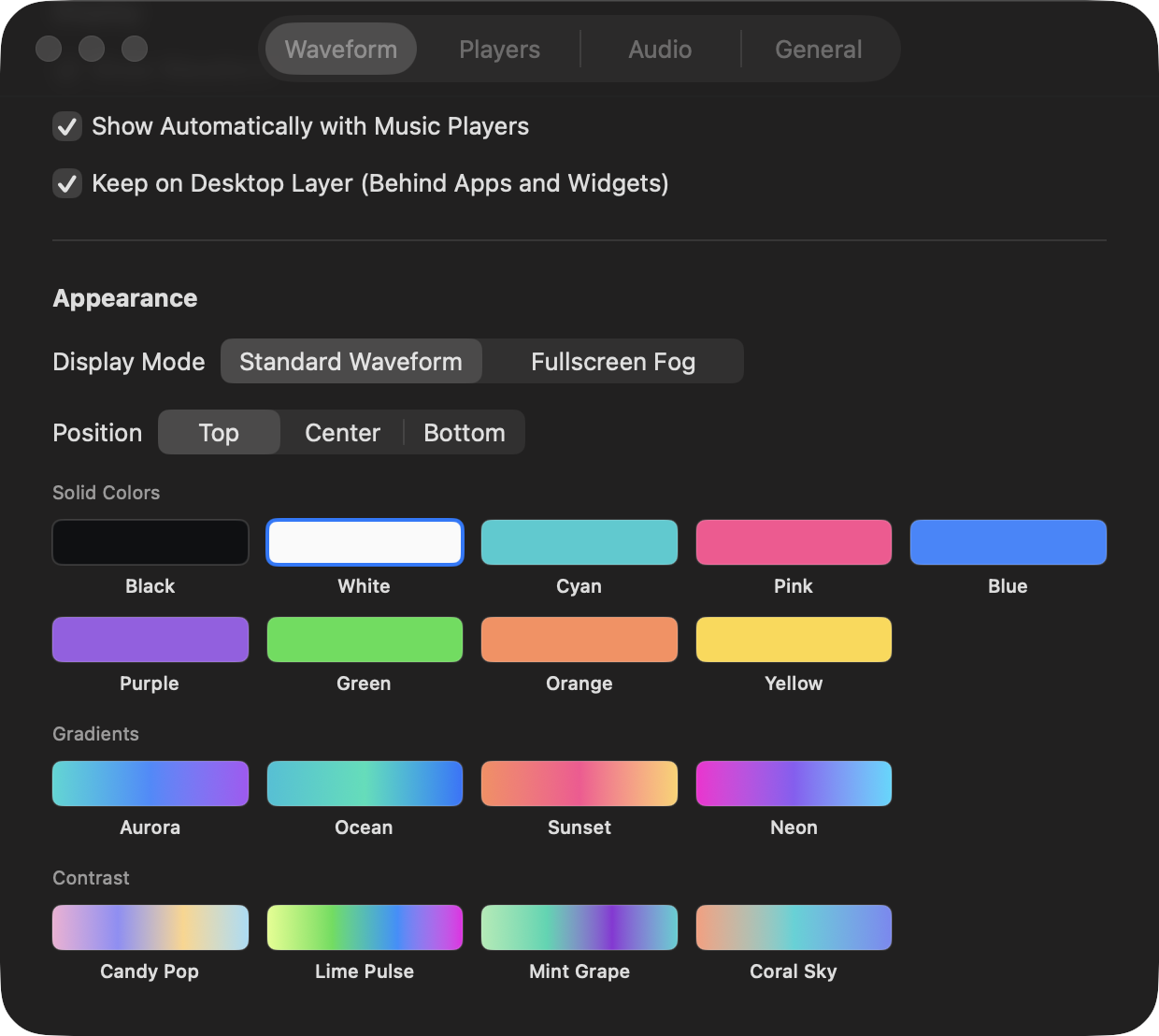
Choose your music players, explore solid and gradient palettes, then see the real waveform react to volume, spectrum, and rhythm.
Appears when music starts and disappears when playback pauses or stops.
Changes waveform size and speed using volume, spectrum, and rhythm.
Can stay on the desktop layer without covering active apps or widgets.
Play it your way
Each source has its own switch. Hiding the waveform or quitting MusicWave never pauses your music.
chrome://extensions or edge://extensions.Versions and updates
Release data comes from one version manifest. New versions automatically update the number, release notes, and download link shown here.
macOS
macOS 13 or later (Apple silicon or Intel) · About 1 MB
Windows
Windows 10 / 11 x64 · About 72 MB
Install
Download the macOS DMG or Windows ZIP.
Move MusicWave to Applications on macOS, or extract and run MusicWave.exe on Windows.
On first launch on macOS, Control-click MusicWave and choose Open. If macOS still blocks it, open System Settings → Privacy & Security and select Open Anyway.
Open the app and choose the players you want MusicWave to monitor.
For browser players, install MusicWave Web Connector from the download above.
Choose your platform